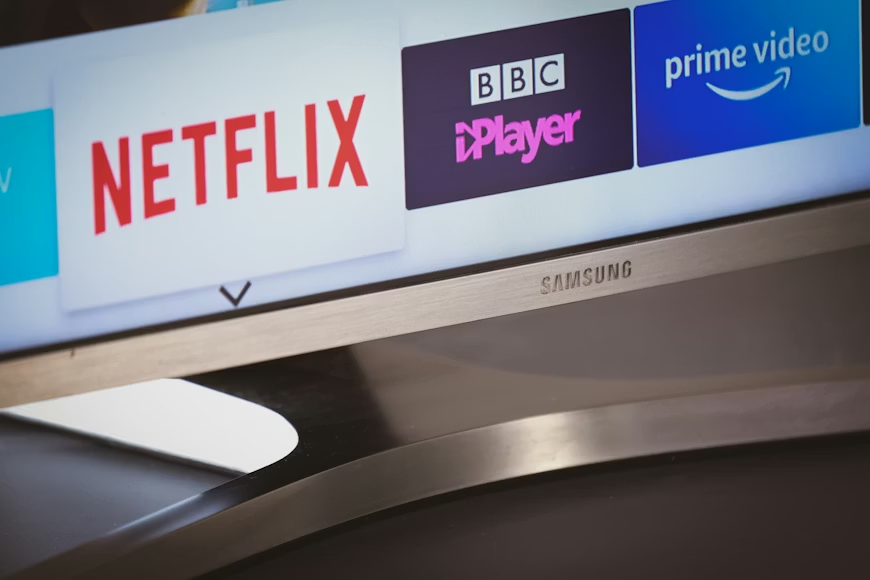

A regular monthly phone bill audit checklist helps households identify waste, eliminate overlap, and ensure they are actually receiving value from the services they continue to pay for.
Most households underestimate how much money quietly disappears into telecom and streaming expenses every month. Internet plans, wireless bills, live TV services, music subscriptions, cloud storage, streaming apps, equipment rentals, and premium add-ons often accumulate gradually over time until the total becomes surprisingly large.
The problem is not always one expensive service. More often, it is dozens of smaller recurring charges spread across multiple providers that nobody reviews carefully anymore.
Step 1: List Every Subscription in One Place
Start by gathering every recurring telecom and entertainment expense.
This includes:
- Mobile phone plans
- Internet service
- Live TV streaming
- Individual streaming apps
- Music subscriptions
- Cloud storage plans
- Device protection plans
- Premium channel add-ons
- Gaming subscriptions
- Smart home monitoring services
Many households discover subscriptions they completely forgot were still active.
The goal is to create a single, clear view of total monthly spending rather than scattered charges spread across several bills and credit cards.
Learn How to Stack Bundles Without Paying Twice to reduce overlapping subscription costs.
Step 2: Identify Duplicate Services
One of the fastest ways to save money is by eliminating overlap.
Look for:
- Multiple music services
- Overlapping streaming platforms
- Duplicate cloud storage plans
- Bundled perks already included elsewhere
- Several live TV services serve the same purpose
For example, a wireless carrier may already include Disney+, Netflix, or Apple TV+, making standalone subscriptions unnecessary.
Households often accidentally pay twice for the same category of entertainment without realizing it.
Step 3: Review Internet Speed Usage
Many people overpay for internet speeds they rarely fully use.
Ask:
- How many people stream simultaneously?
- Is anyone uploading large files regularly?
- Are you gaming heavily online?
- Does the current speed actually feel insufficient?
A household casually browsing, streaming HD video, and using smart devices may not need ultra-premium gigabit service.
Downgrading internet tiers slightly can sometimes yield meaningful savings with almost no noticeable impact on daily performance.
Compare High-Speed Plans for Gamers Who Also Stream before paying for extra internet speed.
Step 4: Check for Expired Promotions
Telecom companies frequently raise prices after promotional periods end.
Review:
- Internet discounts
- Wireless credits
- Streaming bundle promotions
- Device trade-in credits
- Introductory pricing offers
Many bills quietly increase after 12 to 24 months because customers stop monitoring them carefully.
This is one of the easiest areas to negotiate or shop around for better pricing.
Step 5: Evaluate Streaming Usage Honestly
Open your streaming apps and ask a simple question:
Which services are actually being used weekly?
Some subscriptions may only be opened once or twice per month. Others may sit untouched entirely.
Services with low usage become strong candidates for:
- Cancellation
- Rotation
- Downgrading to ad-supported tiers
Streaming works best when subscriptions remain intentional rather than permanent defaults.
Check The True Cost of Cutting the Cord in 2026 before keeping every streaming service.
Step 6: Audit Equipment Rental Fees
Many telecom bills contain recurring equipment charges for:
- Routers
- Modems
- Cable boxes
- DVR systems
- Extenders
Over time, these rental fees often exceed the cost of purchasing equipment outright.
Consumers should check:
- Whether personal equipment is allowed
- If older hardware can be returned
- Whether unnecessary boxes remain active
Small rental charges can add up to be surprisingly expensive over several years.
Step 7: Review Mobile Plan Features
Wireless plans often include expensive features that users barely use.
Check:
- Hotspot usage
- International roaming features
- Premium unlimited tiers
- Device insurance
- Upgrade programs
- Additional line costs
Some households pay for premium unlimited plans while spending most of their time on Wi-Fi.
Others may benefit from prepaid or alternative carriers delivering similar real-world performance at much lower prices.
Step 8: Compare Bundle Value Carefully
Bundles can save money, but only if the included services are actually useful.
Ask:
- Would you pay for these streaming services independently?
- Is the premium phone plan worth the added cost?
- Are you using all parts of the bundle regularly?
Sometimes, a cheaper standalone internet or phone plan combined with selective streaming subscriptions costs less overall than oversized bundled packages.
The best streaming bundle is the one that replaces real existing expenses.
Step 9: Rotate Instead of Stacking
One of the simplest ways to reduce entertainment spending is to rotate subscriptions.
Instead of carrying every streaming platform simultaneously:
- Activate services around specific releases
- Pause low-use subscriptions temporarily
- Rotate live TV during sports seasons
- Use free streaming services during downtime
Most streaming platforms have no contracts, making rotation extremely effective for reducing long-term costs.
Explore How to Rotate Streaming Subscriptions to Save Hundreds to lower entertainment costs.
Step 10: Set a Quarterly Review Reminder
Telecom and streaming bills evolve constantly.
Prices rise.
Promotions expire.
New subscriptions appear.
Unused services continue to renew automatically.
Setting a reminder every few months helps prevent passive overspending from quietly growing over time.
Even short audits can uncover:
- Duplicate charges
- Better pricing options
- Unused subscriptions
- Negotiation opportunities
The households spending the least are usually not the ones with the fewest services. They are the ones using a monthly phone bill audit checklist regularly, instead of letting entertainment and telecom costs run on autopilot indefinitely.